Summary: Successfully managing Large BIM Models in Revit requires a strategic approach centered on a solid BIM Execution Plan (BEP), disciplined model splitting, and continuous file maintenance. By keeping Revit families lean, utilizing worksets, and auditing files regularly, architecture and real estate professionals can prevent software crashes, optimize hardware performance, and ensure a seamless transition into high-end architectural visualization and construction coordination.

You’ve landed that massive commercial project in downtown Chicago, or perhaps you are breaking ground on a sprawling residential development in Texas. The design is absolutely spectacular, your engineering team is ready to go, but there’s one looming problem threatening your productivity: your Revit file is getting heavier by the minute.
For architects, home builders, and developers operating in today’s fast-paced market, managing Large BIM Models can quickly turn into a logistical nightmare if not handled correctly. Slow load times, constant software crashing, and disorganized project data not only frustrate your design team but can actually derail your project timeline and inflate your budget.
Whether you are coordinating complex mechanical, electrical, and plumbing (MEP) systems, or prepping a comprehensive 3D model for high-end interior design visualization, keeping your Revit files lean, clean, and optimized is non-negotiable. Real estate developers and architecture firms in the United States simply cannot afford the downtime caused by bloated project files.
To help you navigate these digital hurdles, we have compiled an essential guide. Here are 11 best practices from industry experts to help you master Large BIM Models and keep your projects running flawlessly from schematic design to final handover.
1. Establish a Rock-Solid BIM Execution Plan (BEP)
Before you or anyone on your team even opens Revit, you need a roadmap. A comprehensive BIM Execution Plan (BEP) dictates exactly how the model will be built, who is responsible for what specific elements, and the Level of Development (LOD) required at each distinct phase of the project.
When dealing with Large BIM Models, skipping the BEP is like building a skyscraper without a foundation. For projects in the US, aligning your BEP with the guidelines set by authoritative bodies like the National Institute of Building Sciences (NIBS) ensures your team is working with recognized, consensus-based industry standards. This vital step prevents overlapping work, clarifies expectations among different disciplines, and avoids messy data integration down the line. A solid BIM Execution Plan (BEP) is the ultimate safeguard against scope creep in digital modeling.

2. Master the Art of Model Splitting
Never try to fit an entire towering skyscraper or a massive multi-building residential complex into a single .rvt file. Strategic model splitting (also known in the industry as creating a federated model) is absolutely crucial for handling Large BIM Models effectively.
Break your project down by discipline (Architecture, Structural, MEP) or by physical zones (for example, the East Wing versus the West Wing, or the Core versus the Shell). You can then link these smaller, highly manageable files together into one central hub. This Revit model optimization technique drastically reduces the processing power and RAM needed to navigate the project, allowing commercial real estate BIM coordinators to review models on standard machines without experiencing system failure.

3. Keep Your Families Lean and Mean
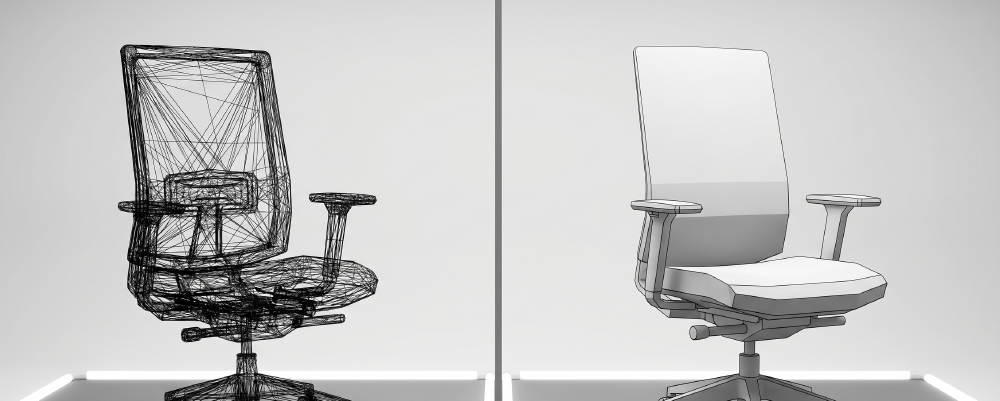
Over-modeled families (RFA files) are the silent, hidden killers of Large BIM Models. We all appreciate a beautiful 3D asset, but does that office chair in the background of your commercial layout really need fully modeled screws, washers, and engraved manufacturer logos? Probably not.
When working with Large BIM Models, use 2D detailing for complex geometries whenever possible. Reserve high-polygon 3D elements only for what is strictly necessary for your deliverables. Interior designers and architects should maintain a strict standard for families brought into the project, ensuring that aesthetic details do not compromise the overall structural integrity and speed of the main model.
4. Leverage Worksets Like a Pro
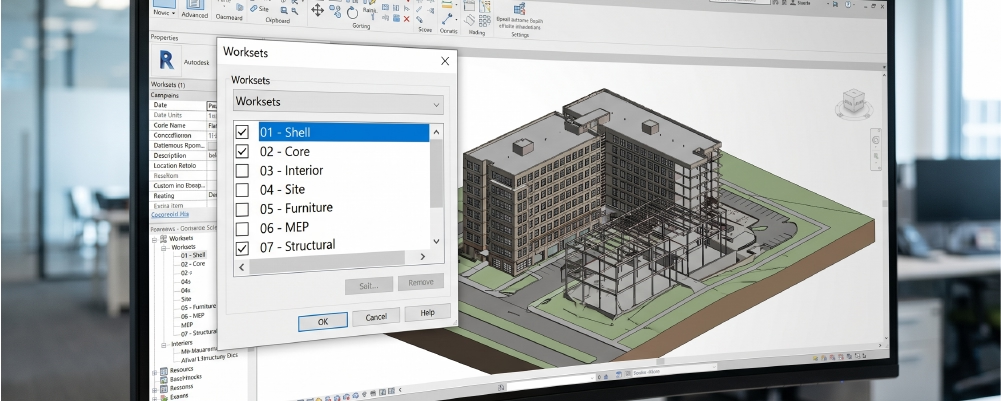
Worksets aren’t just designed for multi-user collaboration; they are immensely powerful visibility and performance tools that every professional needs to master. When you are managing Large BIM Models, logically grouping elements into specific worksets (such as “Interior Furniture,” “Site Context,” or “Core Structural Walls”) allows you unparalleled control over the software’s performance.
By selectively opening only the worksets you need for your current specific task, you reduce the strain on your computer. Turning off heavy, geometry-rich worksets before opening a massive file can save your team hours of waiting time every single week. This is how you efficiently manage Revit models without losing your mind.
5. Understand Your BIM Dimensions
Managing Large BIM Models isn’t just about moving 3D geometry around a digital screen; it’s deeply about the data attached to those visual elements. From intricate project scheduling (4D) and accurate cost estimation (5D) to long-term facility management (7D), understanding the depth of your model dictates how you should structure it from day one.
As a developer or home builder, the data within your Large BIM Models is just as valuable as the geometry itself. If you want to dive deeper into how this data evolves and how it can impact your bottom line, check out our comprehensive educational guide on the 7 Crucial BIM Dimensions Explained: From 3D to 7D Construction. Knowing these dimensions ensures you are getting the absolute maximum ROI from your modeling efforts.

6. Purge the Unused Regularly
Digital hoarding is a real problem in the architecture and construction industry. As a project evolves from initial concept to final construction documents, your Revit file naturally accumulates a graveyard of unused families, abandoned design options, grouped elements, and outdated materials.
To keep Large BIM Models performing at their peak, make it a strict habit to use the “Purge Unused” tool regularly. However, you must do this strategically. Ensure your team isn’t blindly deleting standard company templates, title blocks, or essential placeholders that will definitely be needed in the next design phase. Think of purging as routine housekeeping; a clean file is a fast file.
7. Audit Your Model Religiously
Think of the “Audit” function in Revit as taking your high-performance vehicle to the mechanic for a routine, preventative check-up. When dealing with Large BIM Models, running an audit weekly (or bi-weekly for slightly less active projects) is non-negotiable.
The audit tool helps locate, isolate, and repair corrupt elements hidden deep within the database before they have a chance to compound into fatal, project-ending errors. By making auditing a standard Revit best practice in your firm, you protect the hundreds of hours of labor invested in the file and prevent the catastrophic crashes that keep architects awake at night.
8. Tackle Warnings Head-On
We all know the overwhelming temptation of ignoring that little yellow warning pop-up in the bottom corner of your screen. But in Large BIM Models, unresolved warnings compound rapidly. Every ignored warning forces the software to constantly calculate overlapping geometries, resolve broken constraints, or figure out room boundary errors behind the scenes.
This hidden processing drains your hardware’s resources. Schedule a mandatory weekly “Warning Resolution” session for your BIM management team to keep your warning count as close to zero as humanly possible. A clean warning list is the hallmark of a professionally maintained model.
9. Control CAD Links and Imports (Never Import!)
If there is one golden, unbreakable rule when working with Large BIM Models, it is this: Link, do not import.
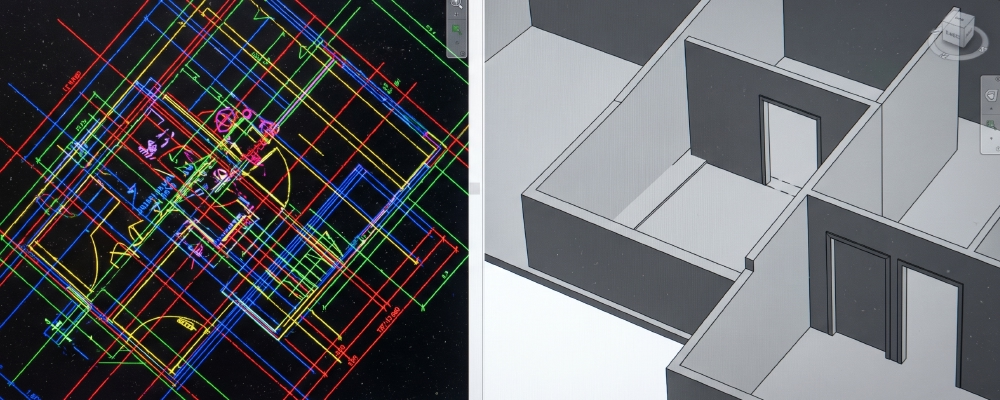
Importing legacy CAD files directly into your Revit environment is disastrous. It inflates the overall file size unnecessarily and clutters your pristine project with useless, impossible-to-delete line styles, text types, and layers. Always use the “Link CAD” function instead. This keeps the CAD data external while still allowing you to view it. And remember, never, under any circumstances, click “Explode” on a CAD file inside your live, working Revit model.
10. Standardize with View Templates
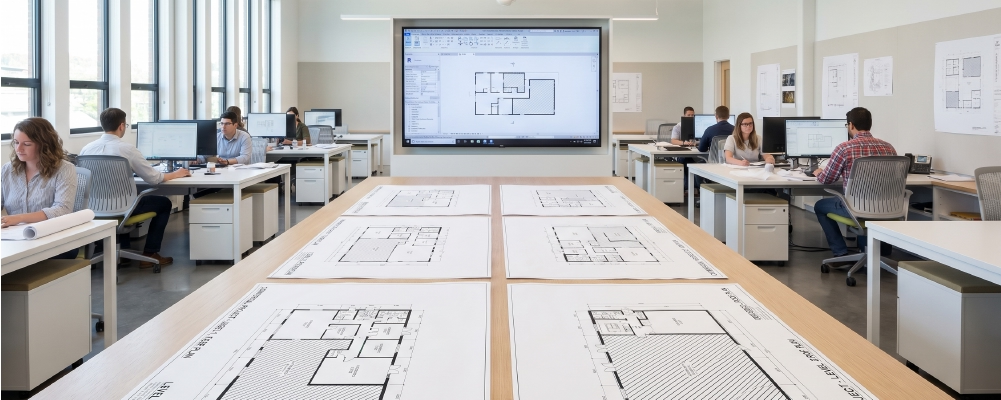
In large-scale commercial real estate BIM projects or multi-family residential developments, visual and organizational consistency is key to success. View templates are your best friend here. They lock in your visibility and graphic settings across the entire board.
When managing Large BIM Models, this prevents individual team members from going rogue, manually hiding elements, changing scales, or overriding colors in individual views. View templates keep the model highly organized, ensure that your construction documentation looks uniform, and make rendering times much more predictable.
11. Optimize for Collaboration and Visualization
When your Large BIM Models are thoroughly optimized and running smoothly, it paves the way for seamless, stress-free transitions into the next vital stages of real estate development: high-end visualization, precise clash detection, and flawless construction coordination.
A clean, light model translates directly to significantly faster rendering times and much more accurate material takeoffs. If you are aiming to produce photorealistic marketing materials for investors, a well-managed model is the required starting point. Sloppy files simply will not render correctly.

Elevate Your Next Project
Whether you are a real estate developer looking to dramatically streamline your workflow, a builder aiming to eliminate costly on-site errors, or an architect ready to bring your stunning designs to life for clients, expert intervention makes all the difference in the world.
Don’t let bloated data slow down your vision. Explore our professional BIM Building Services to see exactly how Xpress Rendering can step in as your trusted partner. We provide premier BIM services for architects and developers, helping you elevate your project from a heavy, frustrating data file to a fully coordinated, highly optimized, visually stunning masterpiece ready for the market.
Large BIM Models: Frequently Asked Questions (FAQs)
-
What is the ideal file size for Large BIM Models in Revit?
While there is no strict, hard-coded limit, industry Revit best practices strongly suggest keeping individual Revit files under the 300 MB to 500 MB range. If a model naturally exceeds this threshold, it is highly recommended to strategically split the project into federated, linked models to maintain hardware performance.
-
How often should I audit a Revit model?
For active, Large BIM Models, you should run a system Audit and thoroughly review the warning list at least once a week. This preventative maintenance stops data corruption in its tracks and keeps the project file running fast and stable.
-
Why is my Revit model running so slow?
Slow processing in Large BIM Models is typically caused by a combination of over-modeled families (too much unnecessary 3D detail), accumulated unresolved software warnings, imported (rather than correctly linked) CAD files, and a general lack of proper worksharing protocols utilizing Worksets.
-
What is the difference between linking and importing a CAD file in Revit?
Linking a CAD file connects the external architectural data to your Revit project without permanently adding its heavy file weight, acting much like a digital overlay. Importing, on the other hand, embeds the CAD file entirely, significantly increasing your file size and permanently cluttering your Large BIM Models with unmanageable line styles.
-
Can Large BIM Models be used for architectural visualization?
Absolutely. However, for efficient and breathtaking architectural visualization services, the model must be meticulously optimized. Heavy, unpurged models can easily crash rendering engines. Clean worksets, resolved warnings, and optimized families make the transition to 3D rendering smooth and seamless.
-
How does an optimized BIM model actually save money in construction?
An optimized model ensures highly accurate clash detection during the pre-construction phase, which dramatically reduces costly on-site rework. By having a clean, well-managed model, developers and contractors experience fewer RFIs (Requests for Information), minimal material waste, and much faster project delivery times.
-
What are the essential components of a BIM Execution Plan (BEP)?
A solid BEP for Large BIM Models should clearly outline the total project scope, define team roles and responsibilities, establish the required Level of Development (LOD) for different project stages, detail file-sharing and cloud protocols, and set the strict standards for model splitting and file naming conventions.
Conclusion: Don’t Let Heavy Files Weigh Down Your Vision
Mastering the management of Large BIM Models isn’t just a technical necessity; it’s a massive strategic advantage. A well-optimized Revit file translates directly into fewer headaches, faster project delivery, and a significantly smoother transition from digital drafts to physical reality.
By implementing a strict BIM Execution Plan (BEP), keeping your families lean, and auditing your files regularly, you ensure your team spends less time waiting for software to load and more time doing what they do best: designing incredible spaces.
But you don’t have to tackle the digital heavy lifting alone. If your firm is ready to streamline its workflow, eliminate crashes, and turn complex architectural data into stunning, high-end visuals, our expert team is here to help. Discover how our BIM Building Services can take your Large BIM Models to the next level, ensuring every structural and design detail is perfectly coordinated and ready for the market.
Stop fighting with your software and start building something extraordinary with Xpress Rendering today!